Turn AI visibility checks into a client-ready report.
Use a tiny Northstar CRM sample to show the monitor to report workflow before connecting a live dataset.
Show the useful report in under a minute.
The sample is intentionally small: one buyer-intent query, a few competitors, and one recommendation that becomes a report section.
Start with visibility checks
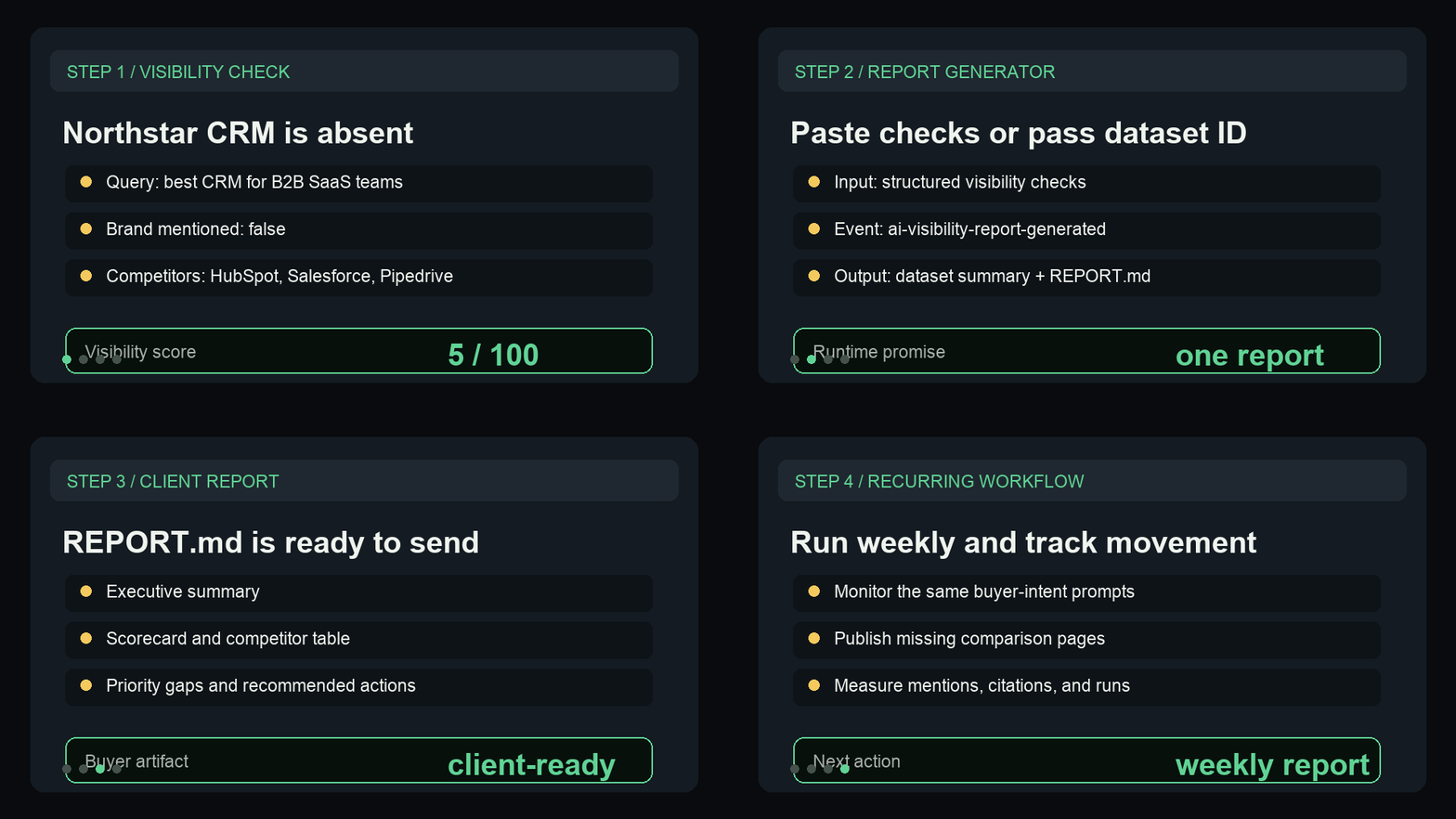
Show brand mention, competitors, visibility score, and recommendation fields from the monitor output.
Generate the report
Paste the sample checks or pass a dataset ID into the Report Generator.
Open REPORT.md
Point to the executive summary, scorecard, top competitors, priority gaps, and next actions.
Show the report path before asking for a run.
This short GIF previews the sample input, generated scorecard, competitor table, and next-action report sections buyers get from the first proof run.
A safe sample for quick proof.
Paste this shape into the Store input to verify the report path before wiring a scheduled monitor dataset.
{
  "brandName": "Northstar CRM",
  "reportPeriod": "May 2026",
  "visibilityChecks": [
    {
      "status": "succeeded",
      "brandMentioned": false,
      "brandDomainMentioned": false,
      "visibilityScore": 5,
      "query": "best CRM for B2B SaaS teams",
      "modelId": "openrouter/auto",
      "competitorsMentioned": [
        "HubSpot",
        "Salesforce",
        "Pipedrive"
      ],
      "recommendation": "Publish comparison and alternatives content for B2B SaaS CRM buyers."
    },
    {
      "status": "succeeded",
      "brandMentioned": true,
      "brandDomainMentioned": false,
      "visibilityScore": 55,
      "query": "HubSpot alternatives for product-led sales teams",
      "modelId": "openrouter/auto",
      "competitorsMentioned": [
        "HubSpot"
      ],
      "recommendation": "Strengthen canonical domain citations and publish a direct alternatives page."
    }
  ]
}Need this adapted before the first run?
Send a public-safe workflow request if the sample, setup, or output handoff needs a variant.
Keep requests public-safe: no credentials, private URLs, customer data, emails, or sensitive business data.