Turn two reviews into a response queue.
Use the Google Maps analyzer to convert raw reviews into urgency, themes, proof quotes, owner-response drafts, and weekly client actions.
Start with Northstar Dental.
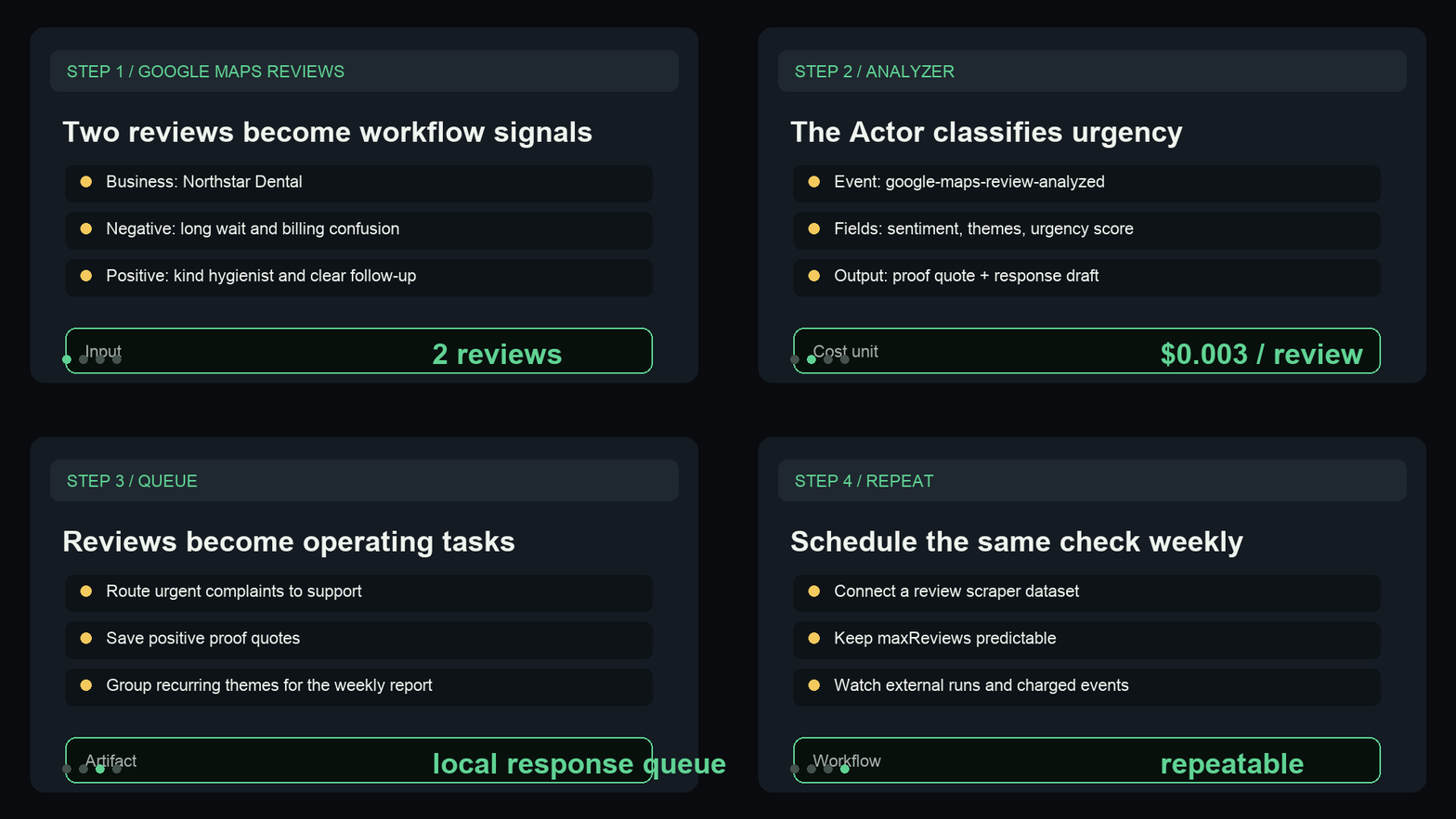
The sample has one urgent negative review and one positive review, enough to show both the response queue and proof-quote path.
Paste or load reviews
Use inline reviews for the first test, then switch to a scraper dataset ID when the workflow is clear.
Review action fields
Inspect sentiment, complaint themes, urgency score, priority reason, proof quote, and owner-response draft.
Route the work
Send urgent rows to a response queue and save positive proof quotes for local pages, ads, and weekly reports.
The fields buyers can use immediately.
Use these fields to see the first useful result before turning a sample into a repeatable local SEO workflow.
| Field | Use |
|---|---|
complaintThemes | Find repeating service, wait-time, price, quality, or cleanliness issues. |
urgencyScore | Sort the response queue by visible local-conversion risk. |
ownerResponseDraft | Give the operator a starting response without inventing context. |
proofQuote | Pull exact customer language into local pages, ads, or client updates. |
recommendedAction | Turn the review into the next operational or marketing task. |
Show reviews becoming a local response queue.
This short GIF previews the Google Maps sample, urgency fields, proof quote, owner-response draft, and weekly local SEO handoff before a buyer opens the Store page.
Need this adapted before the first run?
Send a public-safe workflow request if the sample, setup, or output handoff needs a variant.
Keep requests public-safe: no credentials, private URLs, customer data, emails, or sensitive business data.