Turn public job records into account triggers.
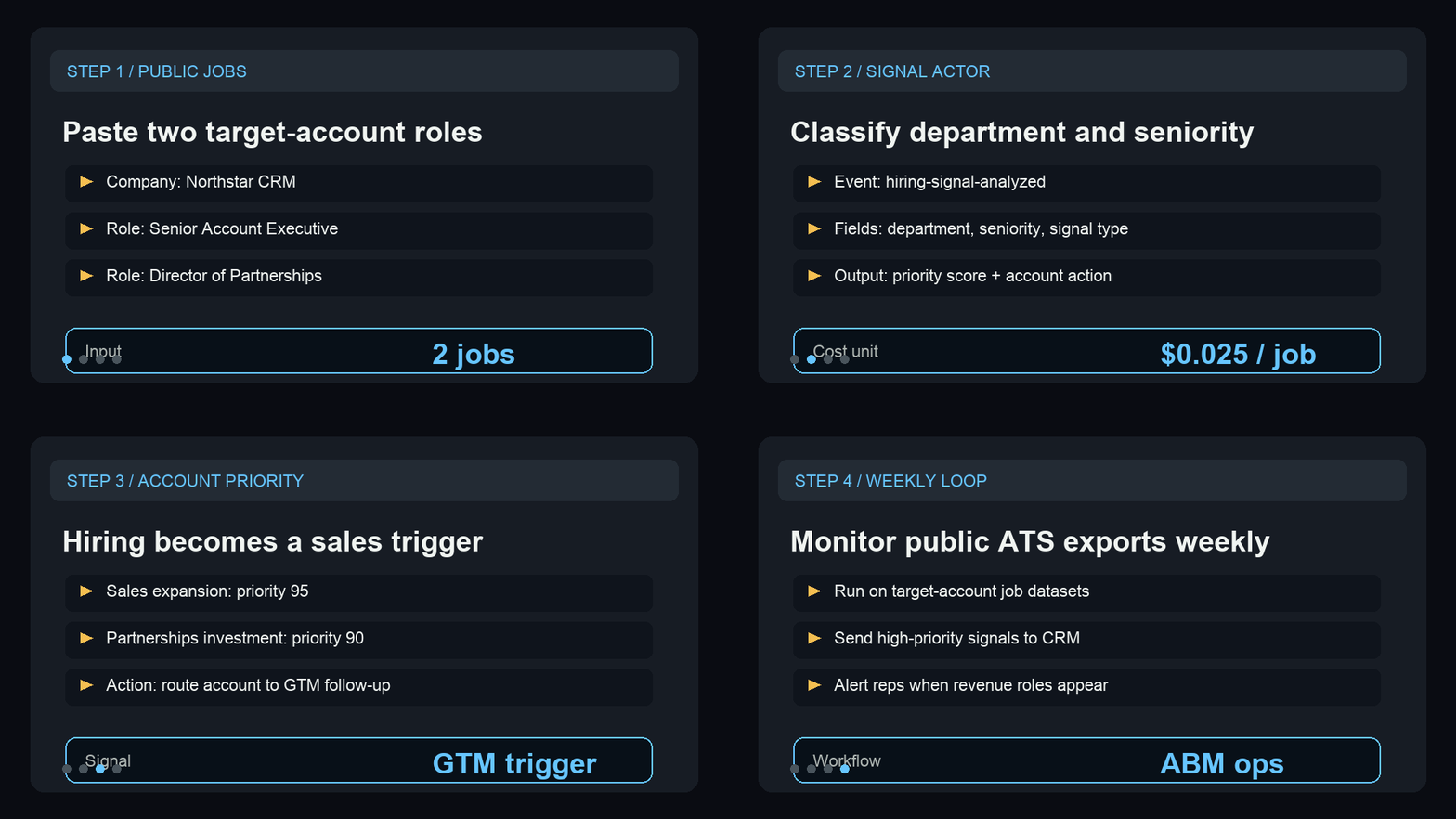
Use two sample Northstar CRM roles to show department, seniority, signal type, priority score, remote hint, and the next account action.
Show the account-priority signal in under a minute.
The sample turns revenue and partnership hiring into concrete GTM follow-up signals for a target account.
Paste two jobs
Use the sample company, titles, descriptions, and locations from a public ATS or job-board export.
Run the analysis
Confirm department, seniority, signal type, priority score, remote hint, and account action.
Route the trigger
Send high-priority hiring signals to CRM, Slack, a spreadsheet, or an ABM research queue.
Show public jobs becoming account triggers.
This short GIF previews the sample input, signal fields, account actions, and recurring ABM monitoring path before a buyer opens the Store page.
A tiny sample for quick proof.
Paste this shape into the Store input before wiring a recurring public ATS or job-board export.
{
  "defaultCompany": "Northstar CRM",
  "jobs": [
    {
      "companyName": "Northstar CRM",
      "title": "Senior Account Executive",
      "description": "Help us scale revenue in a new region and build pipeline with mid-market SaaS buyers.",
      "location": "Remote - US"
    },
    {
      "companyName": "Northstar CRM",
      "title": "Director of Partnerships",
      "description": "Own channel partnerships, agency alliances, and co-selling motions for a fast-growing CRM platform.",
      "location": "Austin, TX"
    }
  ],
  "maxJobs": 2
}What the buyer should inspect.
This public-safe output snapshot shows the fields that turn hiring records into GTM action.
[
  {
    "status": "succeeded",
    "recordIndex": 1,
    "billingEventName": "hiring-signal-analyzed",
    "companyName": "Northstar CRM",
    "jobTitle": "Senior Account Executive",
    "department": "sales",
    "seniority": "senior",
    "signalType": "expansion_signal",
    "priorityScore": 95,
    "remoteHint": true,
    "accountAction": "Flag Northstar CRM as expanding; enrich the account and monitor adjacent revenue roles this week."
  },
  {
    "status": "succeeded",
    "recordIndex": 2,
    "billingEventName": "hiring-signal-analyzed",
    "companyName": "Northstar CRM",
    "jobTitle": "Director of Partnerships",
    "department": "partnerships",
    "seniority": "director",
    "signalType": "gtm_investment",
    "priorityScore": 90,
    "remoteHint": false,
    "accountAction": "Route Northstar CRM to partnership-led outbound with channel and agency messaging."
  }
]Start with the smallest useful sample.
Start with one public job search that turns into account-priority signals. Copy the sample, inspect the action fields, then open the Store run when the output matches the workflow you need.
Run a sample
Use two public job records before connecting a broader dataset.
Inspect action fields
Check department, seniority, signal type, priority score, remote hint, and account action.
Route the output
Move useful rows into CRM, Slack, a spreadsheet, or an ABM research queue.
Turn one public job search into an account-priority decision.
Use one public hiring query to prove the department signal, seniority clue, and CRM next action before connecting a broader job-board export.
Need this adapted before the first run?
Send a public-safe workflow request if the sample, setup, or output handoff needs a variant.
Keep requests public-safe: no credentials, private URLs, customer data, emails, or sensitive business data.